

What the customer sees
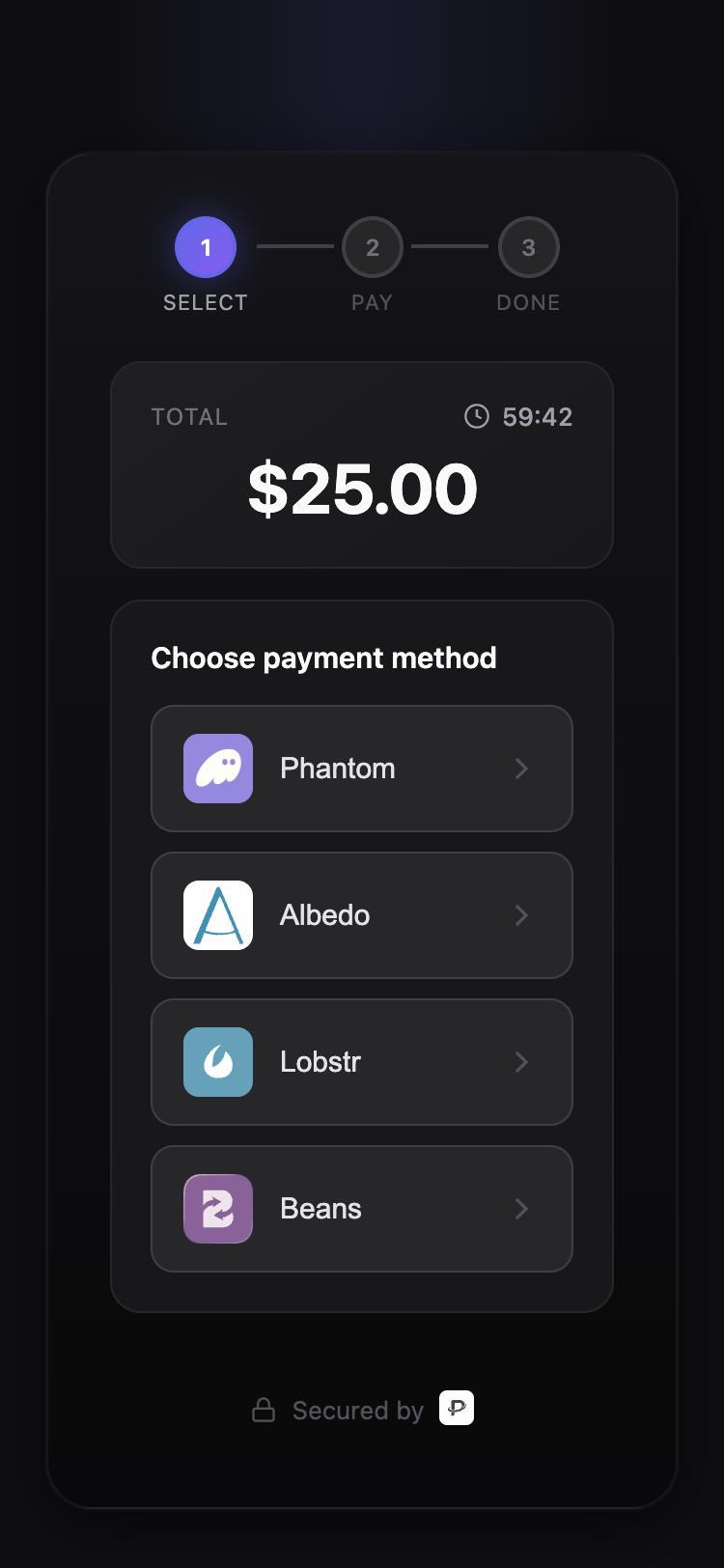
- The amount in USDC and a countdown to the payment’s
expiresAt. - A list of wallets. On Stellar today: Lobstr, Beans and Albedo. Phantom is available for customers paying from Solana, with the funds bridged to your Stellar wallet.
- Tapping a wallet opens it with the payment pre-filled. On a phone, if the wallet is not installed, the checkout shows the app store link instead.
- The customer approves in their wallet. The checkout polls until the funds arrive, then shows Paid and sends the customer to your
returnUrlif you set one.
Opening the checkout
Redirect topaymentCheckoutUrl, or open it in a new tab. On mobile apps, open it in an in-app browser so the wallet deep links work. The Flutter SDK does this for you.
Return URL
returnUrl is where the checkout sends the customer after paying. It must be http or https. The customer can also close the tab and pay later from their wallet as long as the payment has not expired, so treat a visit to your return page as “they came back”, not “they paid”. The webhook is the source of truth for fulfilment.
Expiry
Every payment has anexpiresAt. After that time it moves to Expired and the checkout stops accepting funds. Create a new payment rather than reusing an old URL. Cross-chain payments that have started bridging never expire, since the funds are already in flight.